Adding games manually
Important
Only club administrators can add games manually.
Tip
Games are normally created automatically when generating pairings: the service selects opponents or builds a schedule using the tournament system, format and settings. Add a game manually only for a special adjustment that cannot be made by creating a normal round or cycle.
For example, add a tiebreak game, Armageddon, replay or a missing game in an incomplete round. A manual game becomes part of the pairings and counts in the standings just like an automatically created one.
Where to find the button
On the Pairings tab, open the menu to the right of the pairing button and select Add games manually.
If the round already exists, expand it and use the menu to the left of Seating. Add match manually assigns the new game to that round or stage.
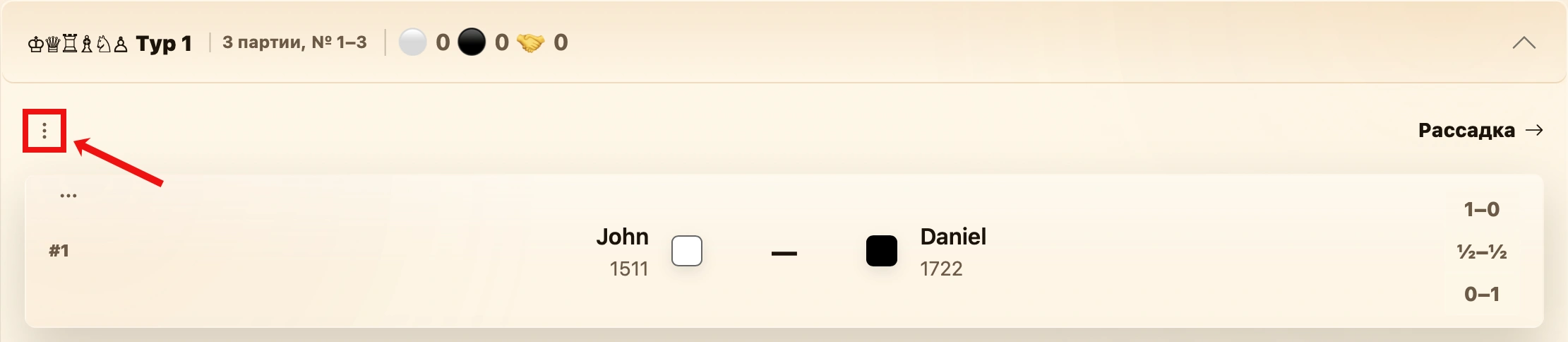
New game form
The form depends on the chess variant, format and teams and selected stage. The service creates either one individual game or one team match, which may contain several board games.
Fields shared by all variants
| Field | What to enter |
|---|---|
| Game | The new game’s number. Enter it once for an individual or shared-board match, or separately for each board in a board match. The service suggests the next available number, which you can change. |
| Table | The table number. For board matches, set it separately for each board. |
| Stage | The tournament section: regular stage or a playoff stage. It is preselected when opening the form from a round or stage. |
| Round | The round number within the selected section. The game appears in the corresponding pairing accordion. |
| Created and Updated | Service information filled automatically and not editable here. |
White and black squares indicate the sides’ colors. They are fixed in individual games. In a team form, the square is a button: it swaps colors on the selected board, or for the whole team in a shared-board match.
Individual game: Standard and Chess960
For individual tournaments, the form always contains one pairing: select White and Black. Each list also offers bye for an unopposed technical pairing.
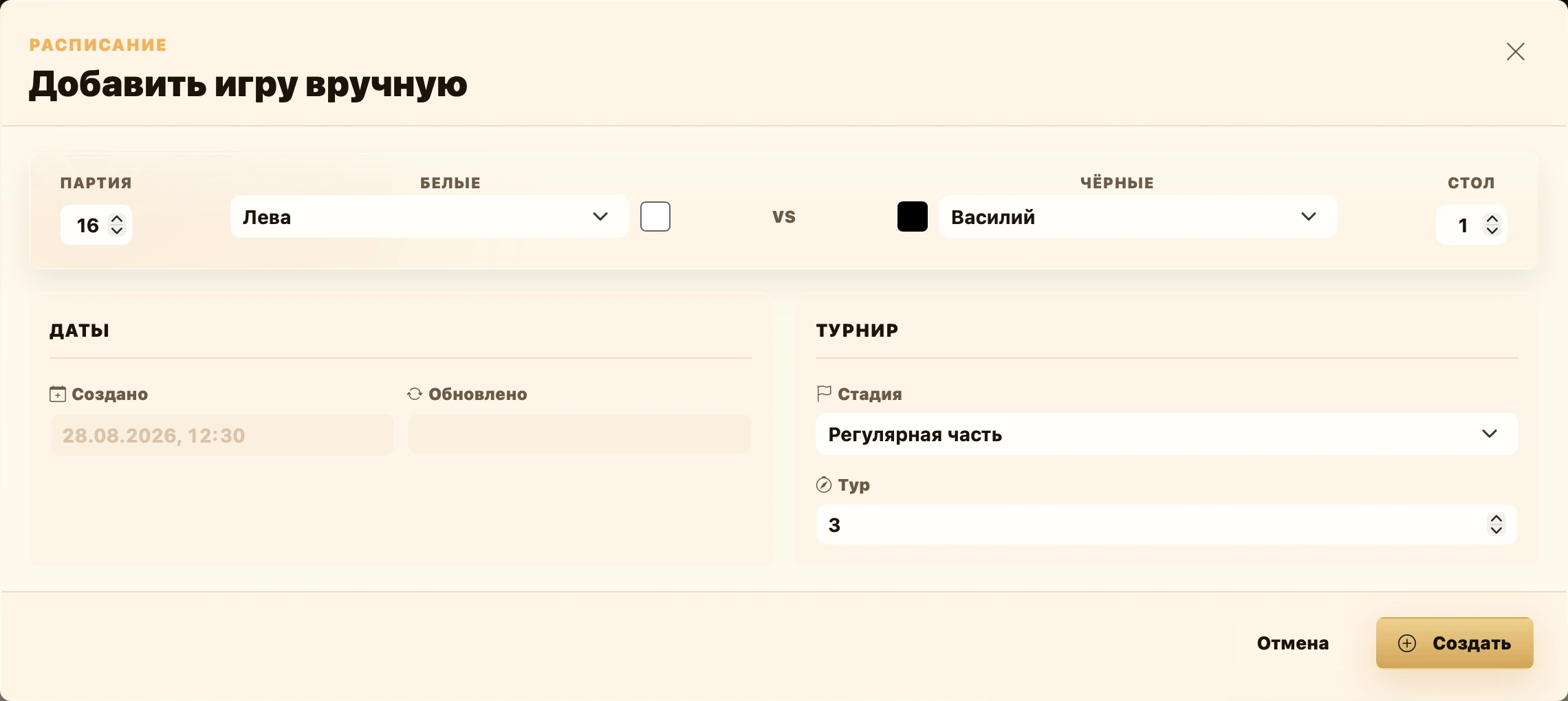
Regular stage
For Swiss and round-robin tournaments, select Regular stage under Stage and enter the Round. In a mixed tournament, this adds a game to qualification, using its selected Swiss or round-robin system.
Playoffs
In playoffs, the Tournament section has three additional fields defining the game’s exact bracket position.
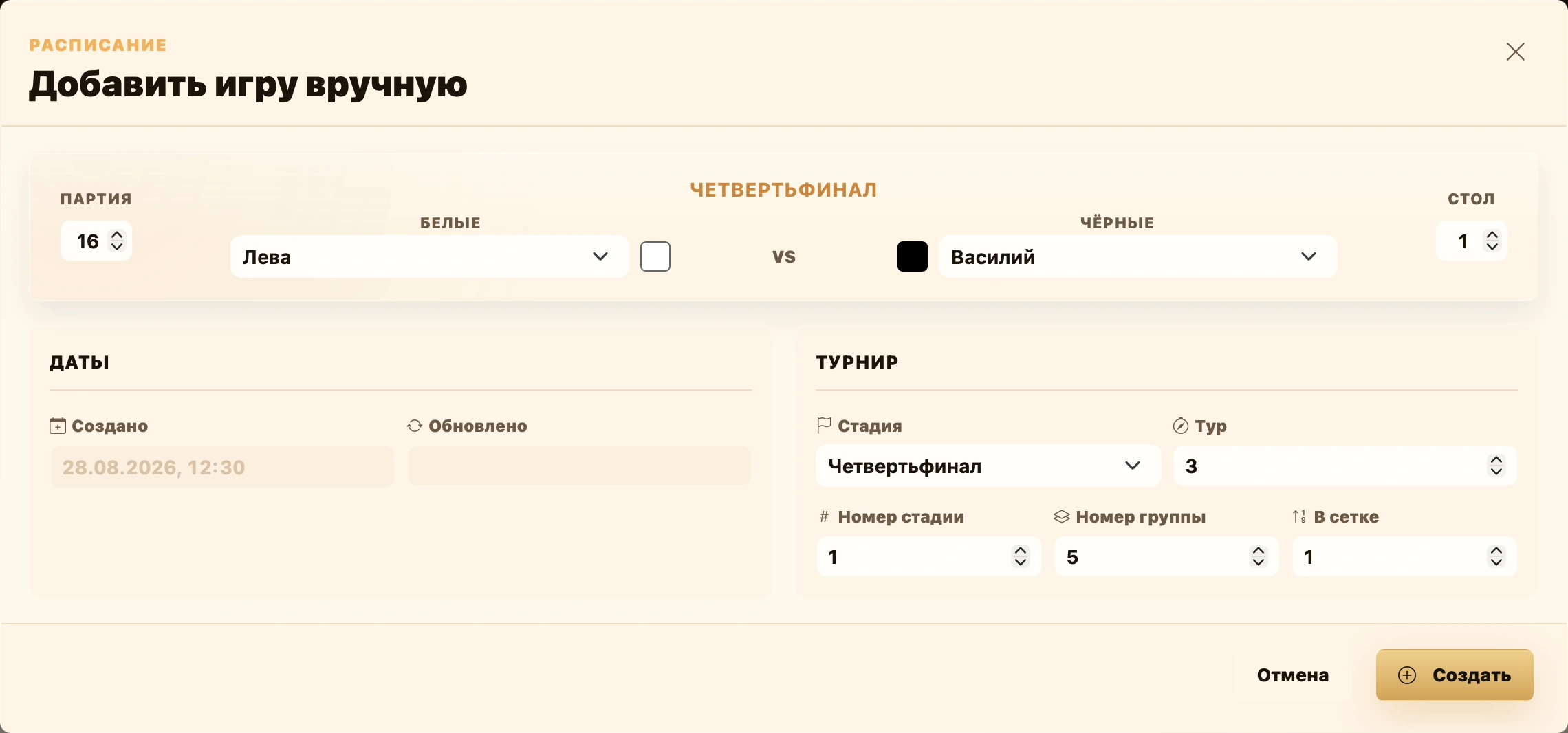
| Field | Meaning |
|---|---|
| Stage | Bracket round: round of 32, quarterfinal, semifinal, final, third-place match or a lower-bracket stage. |
| Round | The round to which the game belongs. |
| Stage number | Stage order within one bracket. For a playoff starting at quarterfinals, quarterfinals are 1, semifinals 2 and the final 3. The third-place match runs alongside the final, so it also uses 3. The lower bracket has separate numbering: its quarterfinal is 1 again. |
| Group number | The block number on the Pairings tab, not a bracket position. Matches created in one action share a group and accordion. Starting the next round creates a new group, even if it is another game in the same quarterfinal series. |
| In bracket | The pairing’s position in the playoff diagram. It stays the same for subsequent games in a series: the first and second games of one quarterfinal pairing both remain at position 1. Four quarterfinal pairings use positions 1, 2, 3, 4; two semifinals use 1, 2. |
For example, four opening quarterfinals may be created in group 1 at positions 1–4. The next games in those series keep positions 1–4 but belong to group 2, the next block on Pairings. Semifinals then enter the next group; the final and third-place match share another block if created together.
Selecting a stage fills suitable values automatically. Usually, change them only to repair an existing bracket structure manually.
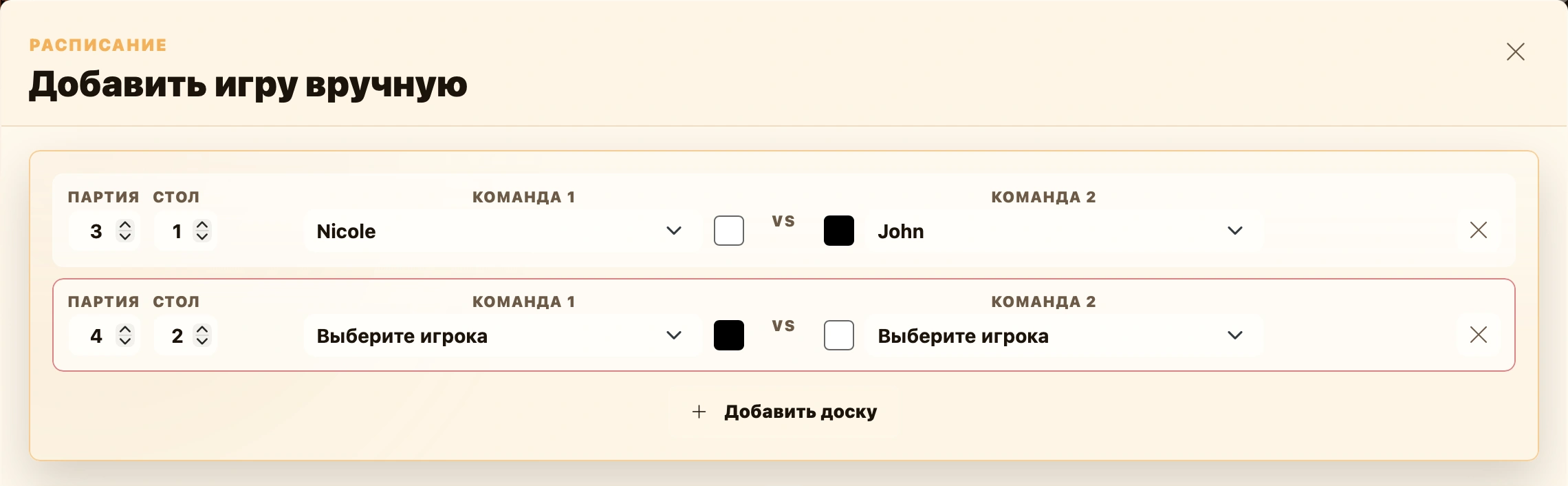
Team match on separate boards
This form is used when a team match contains several games: team Standard, Chess960 and Bughouse. Standard and Chess960 usually use the total board score; in Bughouse, the first team to win a board wins the match. See Format and teams.
Each row represents a board and a game. Fill in:
- Game — this game’s number;
- Table — the board number;
- Team 1 and Team 2 — the players meeting on this board;
- the colored squares between them — to swap colors on this board.
Add board adds another game to the same team match. The cross on the right removes a row; the last remaining board cannot be removed.
Fixed teams
First select Team 1 and Team 2. Each row then offers only current members of the selected teams, preserving registered rosters: a member of one team cannot play for the other.
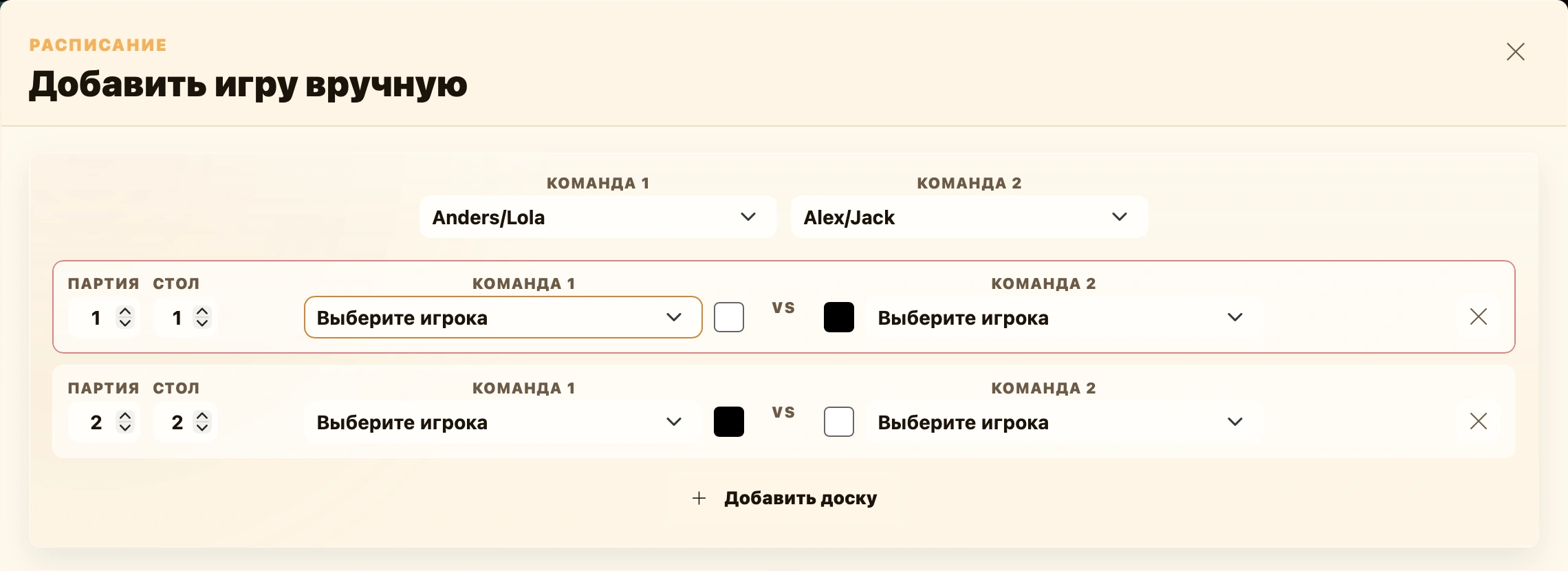
The team list includes bye. If selected for one side, that side’s players remain empty.
Random teams
Random teams have no predefined roster: assemble both sides directly in the match rows. Select players for each board. A participant cannot appear on both sides or on two boards in this match.
Shared board: Doubles 2x2 and Hand and Brain
In Doubles 2x2 and Hand and Brain, a match is not split into separate boards. It has one game number and one table. The center of the form shows Team 1 and Team 2 rosters; each row is a member of that side.
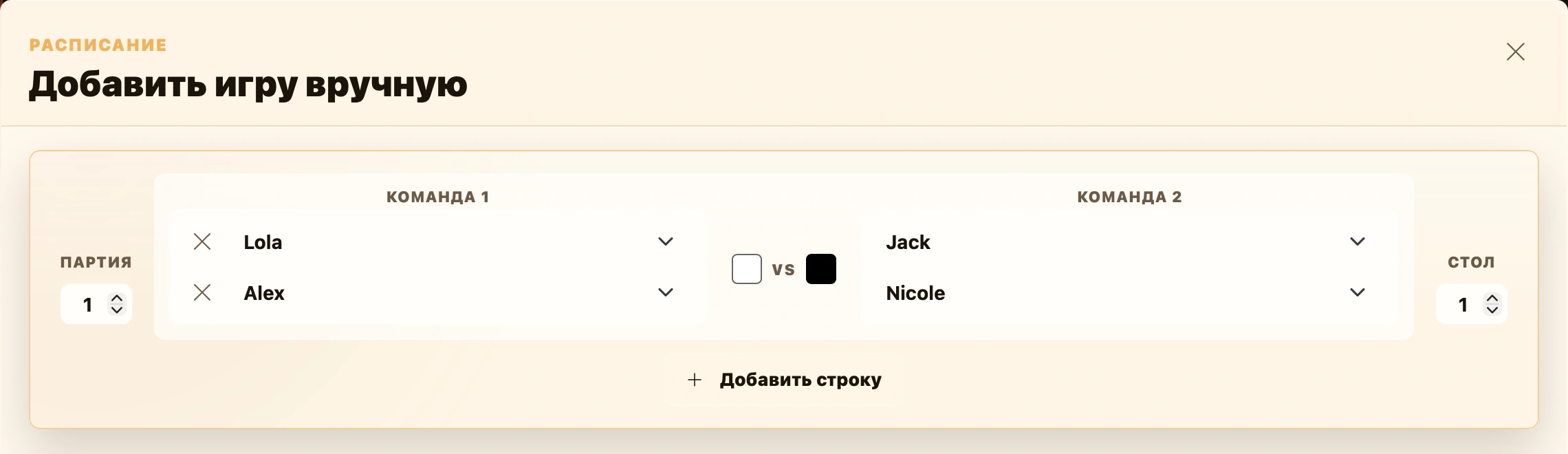
For random teams, Add row adds a player slot to both rosters. The cross on the left removes a row. A participant cannot be selected twice or appear on both teams.
For fixed teams, select two teams first; their players populate the rosters. Extra rows cannot be added: roster sizes come from registered teams.
For Hand and Brain, the form selects only the two rosters. It does not assign hand and brain roles; these are determined by event rules and participant agreement. See Chess variants.
Creating the game
Check participants and the game’s tournament position, then click Create. The game or team match appears in the selected round or stage and counts normally in pairings and standings.